Guide
how to cut screen time with friends.
A practical plan for cutting screen time with the people you see most: agree on the apps you need, and put your friends on the other side of the limit.

Most screen time tools ask you to be strict with yourself. That works until the moment it matters, when the only person who sees you tap “Ignore limit” is you. Doing it with friends changes that moment.
where other screen time apps fail
App limits, Focus modes and grayscale all help. Most share one weakness: you set them, and you can remove them, with nobody else involved.
Bringing friends in changes two things. Someone else agrees to the apps you keep, and someone else can see how it’s going. That’s general advice you can follow with any tool, or none: a shared note and a daily text work too. In Friends Against Phones, everything outside your list is blocked while you focus, a friend approves the list, and your group sees each other’s time with the shield off on a shared board. Now you aren’t fighting screen time alone.
how to cut screen time with friends
- Pick your people. Three to six is a good size: roommates, a partner, a close friend group. People you see or text most days. Two is enough to start.
- Agree on the few apps you really need. Maps, messages, music, maybe your work chat. Everything else waits. Have a friend look at the list and approve it.
- Make focus the default. Start a session when you get home, when you sit down to work, or when you go to bed. The goal is long stretches, not lots of short ones.
- Watch the time with the shield off. A shared board makes progress visible. In the app this is called red time, and it’s the number to bring down.
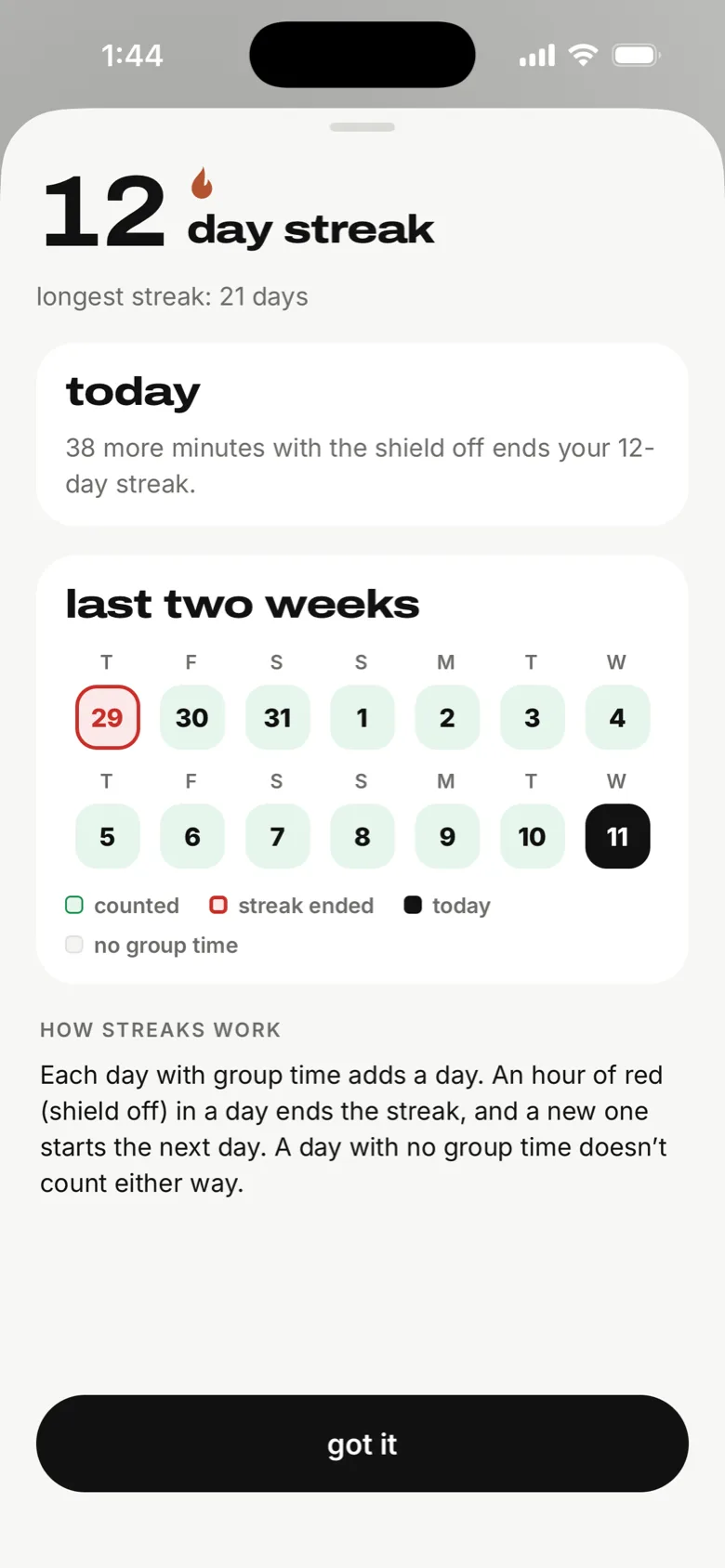
- Know the streak rule before you start one. In the app, red time counts around the clock, including overnight, and an hour of it in a day ends your streak. A streak means keeping your shield on nearly all day and night.
- Check in every morning. A quick recap of yesterday keeps it light and keeps it going.
agree on the apps you need
The hardest part is the list. A few things that help:
- Say why. “Slack, because I’m on call” is easier to approve than a list with no reasons.
- Keep work apps honest. If you need email for work, keep it. If you only check it out of habit, leave it off and see how the week goes.
- You don’t have to be in the same room. In the app, you can show your list on a video call and send your friend a code to approve it. How approvals work.
- Change it when life changes. A new list needs approval again, and your old one stays in force until it’s approved.
set a goal you can actually hit
If you’re on your phone five hours a day, getting down to one would free up 28 hours a week. That’s arithmetic, not a promise, and you don’t need to get there in week one. Start with what your group can do together, like keeping your shields on through the evening and the night, and build from there.
Groups in the app also share a weekly goal for focus time. Pick one you’ll hit, then raise it.
when a day goes badly
It will happen. A streak resets, the board shows a lot of red, and the next day starts fresh. Say so in the group chat, keep your shield on tonight, and move on. Friendly competition beats guilt. How red time and streaks work.
keep it fun
Small rewards help. In Friends Against Phones, every minute that counts earns a point, and points open crates of themes and profile styles your friends see on the board. Trophies go to whoever wins the day, the week and the month.
do it in Friends Against Phones
Friends Against Phones was built for exactly this. Make a group, have a friend approve the apps you keep, and hold to focus. Your group’s board, streaks and morning recaps do the rest. See how it works.
start a group today.
Free during early access, on iPhone.
Free during early accessDownload on the App Store