How it works
how it works.
Friends approve the few apps you keep. You hold to focus. Your group sees the result. Here’s every rule, in plain words.
getting set up
You sign in with your Apple Account, allow Screen Time access, choose the apps you want to keep, and make or join a group. One other person is enough to start. The app also asks what your days look like now and turns that into a goal: going from five hours a day to one, for example, would free up 28 hours a week. That’s a target, not a measurement. The app counts the time your shield is on, not your total screen time.
- Allow Screen Time. This lets the app put a shield over everything you didn’t keep. Apple handles it on your iPhone.
- Choose your apps. Keep the few you really need while you focus, like Maps, Messages or a music app. Fewer is better.
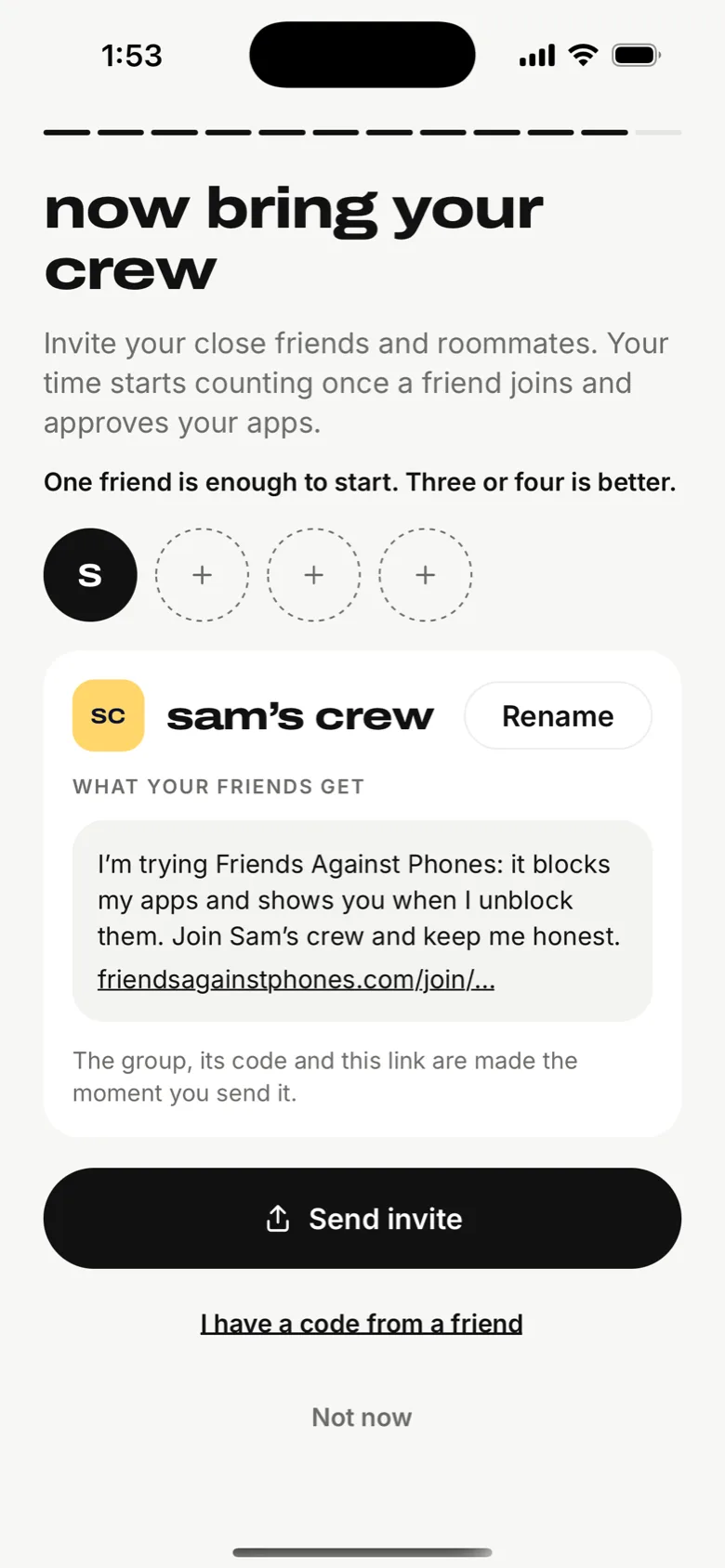
- Make or join a group. Share your invite link, or join with a friend’s code or link. A friend who doesn’t have the app yet installs it and signs in first, then opens your link again or types your code under Groups.
- A friend approves your list. Your time starts counting for a group once someone there approves it.

approvals
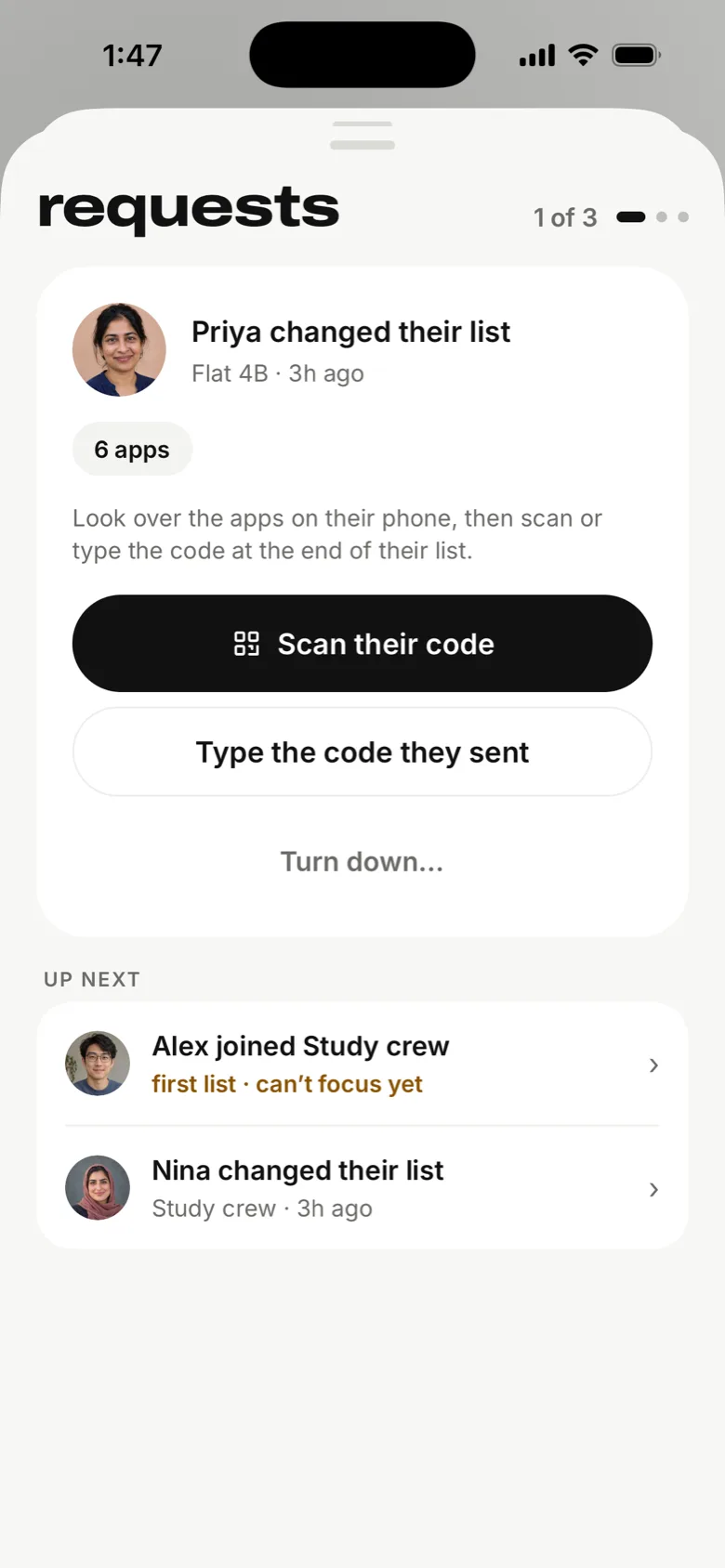
Your friends can’t see your apps from their phones. iOS only shows apps on their owner’s phone, so approval happens in person: you open “show a friend your list”, they look through your kept apps on your screen, then scan your code with their iPhone camera or the app. The approval is recorded straight away.
Not together? Send a code instead, show your list on a video call, and they type it in. One approval covers every group you’re in that it applies to. A group can ask for more than one approval.
When you change your list later, your old list stays in force everywhere until every group has approved the new one. If anyone turns it down, they give a reason, and the change is cancelled in every group so you can fix it and ask again.
focus sessions
Press and hold the button on Home for two seconds. The shield goes up over every app you didn’t keep, and your timer starts. Hold again for two seconds to end, any time you like. Starting and ending both need a connection. If you’re offline and need your apps, Turn off without credit lifts the shield straight away.
Open a shielded app and iOS shows a plain screen that says the app is shielded and how long you’ve been going. That’s the moment the app was built for.


how time is counted
Your phone checks in every minute while the app is open and every few hours in the background. Each check-in confirms your shield was up and credits the time since the last one, up to 24 hours. If your phone goes a full day without a check-in, time stops counting until the next one, so open the app at least once a day while a long session runs.
Offline? Your shield stays on, and the time counts at your next check-in. Your session result shows exactly how much counted for each group.
red time and streaks
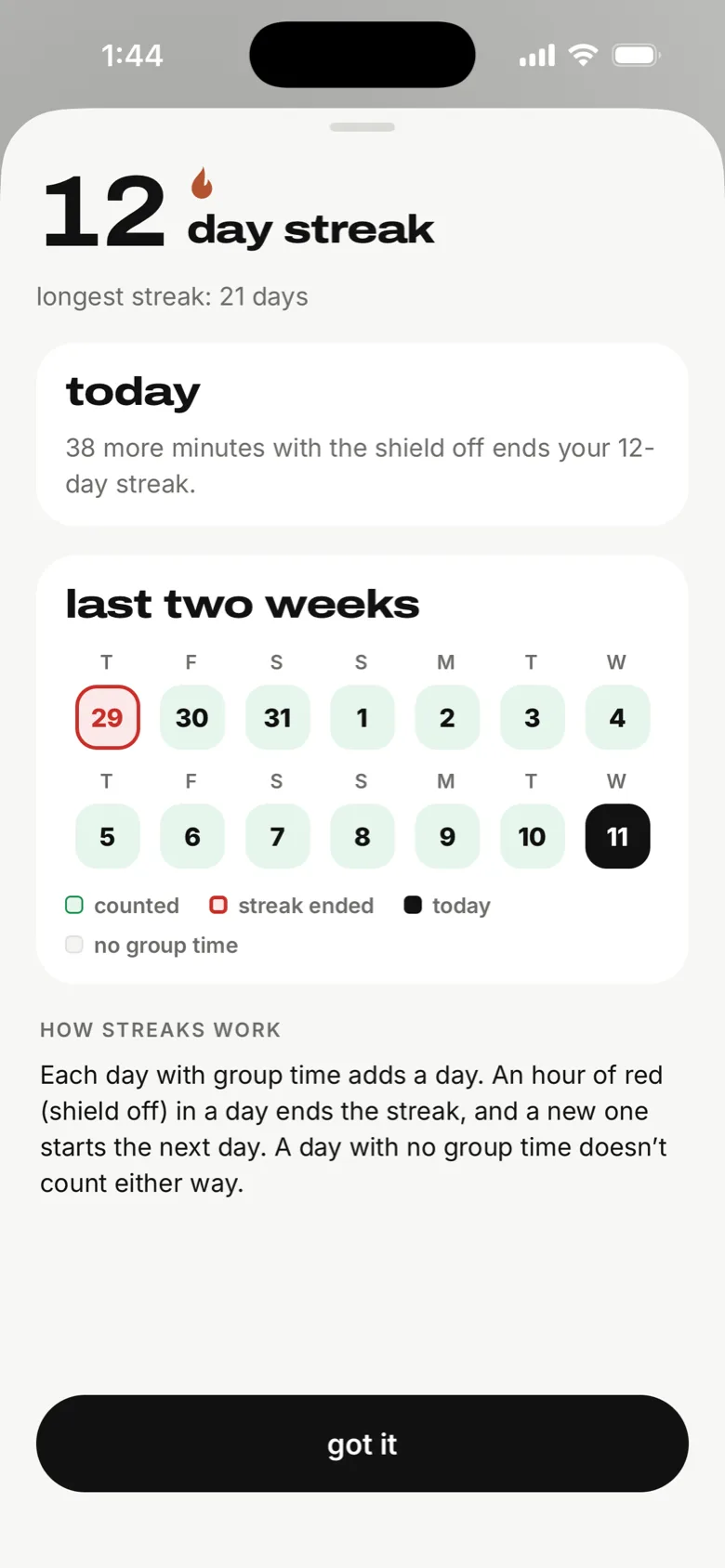
Red time is time with your shield off while you’re in a group. On the board the app labels it unfocused time. It counts around the clock from the day you join, including while you sleep and before your list is approved, and it stops whenever your shield is on. Each group’s days run on its own time zone. Your group sees your red time on the board.
Your streak counts days in a row with under an hour of red, using your own local date. An hour of red in a day ends it, and a new one can start the next day. Being in two groups doesn’t double your red, and a day when you aren’t in a group doesn’t count either way. When you get close, the app tells you: “15 more minutes with the shield off ends your 12-day streak.”
An example day. Your shield has been on since bed. At 7:30 AM you end the session for breakfast and start a new one at 8:15: that’s 45 minutes of red, and the app sends the warning above. You keep the shield on through work and end it at 6:00 PM, then start again at 6:10 and keep it on through the night. The day finishes with 55 minutes of red, so the streak continues. Five more minutes with the shield off would have ended it.

groups
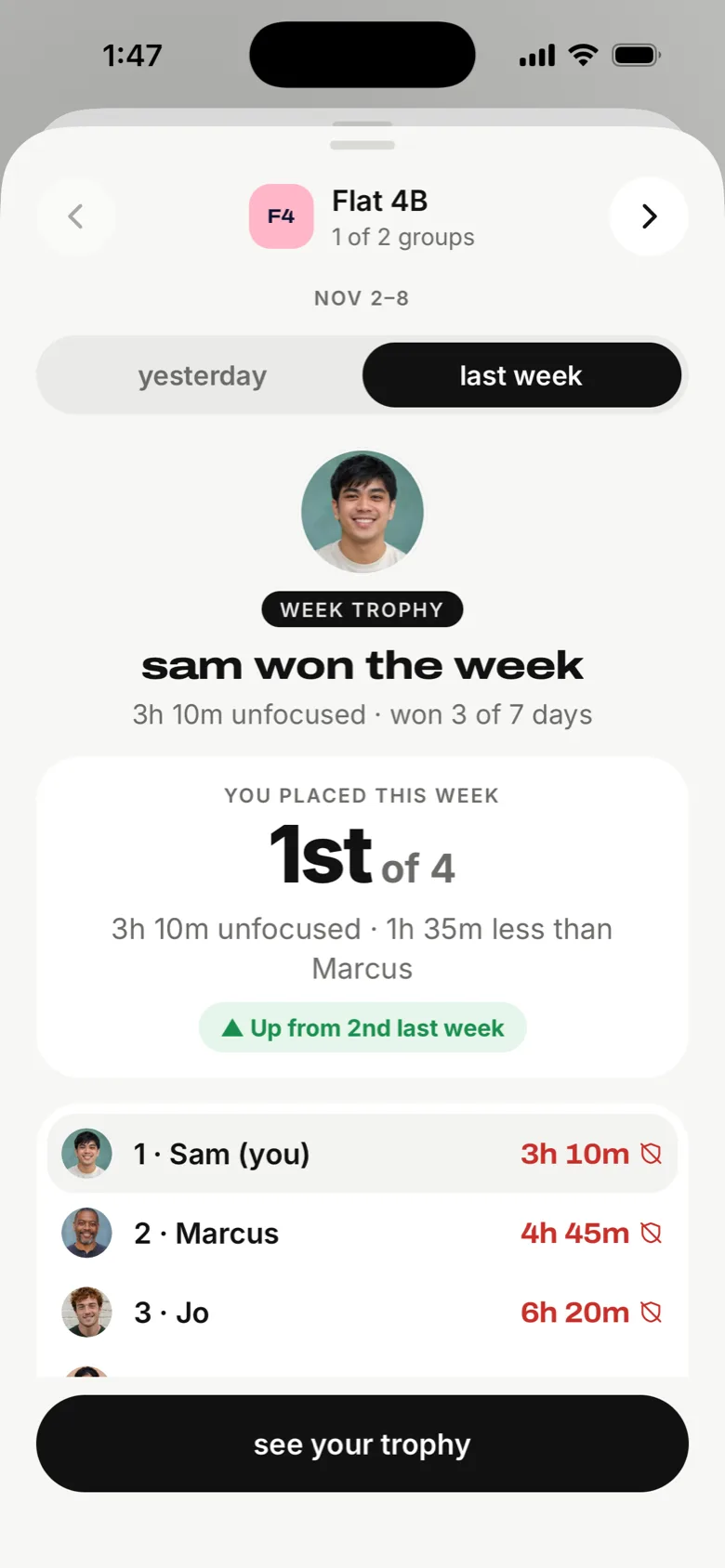
A group is a handful of people who keep each other honest: roommates, a friend group, a team. Each group has its own board, a weekly goal you hit together, and its own time zone. Owners can set an optional start time so everyone begins at zero together, like a draft day.
You can be in more than one group. A minute that counts, counts for every group that approved your list, but it only earns you one point.
ending early
You can always end a session with the two-second hold. If you’re offline and need your apps, “Turn off without credit” lifts the shield straight away; the time since your last check-in just won’t count.
start a group today.
Free during early access, on iPhone.
Free during early accessDownload on the App Store